Sign up to and use the Aurelian Group support portal
Sign up to the Aurelian Group support portal, find support articles, log tickets and reset your portal password. This article is for staff of Aurelian Group clients who need help with their Zoho systems.
Applies to: Aurelian Group support portal – All clients
What the support portal is for
The support portal has two main functions:
- It gives Aurelian Group clients access to support articles (the knowledge base).
- It lets client users submit tickets, for example when something doesn't work as designed, or to ask how something works.
The knowledge base has two parts: generic articles and client-specific articles.
Generic articles
The generic articles don't replace the knowledge base Zoho provides for each application. We analyse our incoming tickets, and where a question comes up often across our clients, we write an article so you can find the answer faster than by searching the Zoho knowledge base.
The support articles are grouped by application so they're easy to browse. You can also search by keyword to find relevant articles.
Client-specific articles
If you have a Digital Business subscription, Aurelian Group creates tailored articles for your business in a separate section of the support portal. Only support portal users from your organisation can see this section (we use your registered email domain for this). No-one else can see these articles.
Log a support ticket
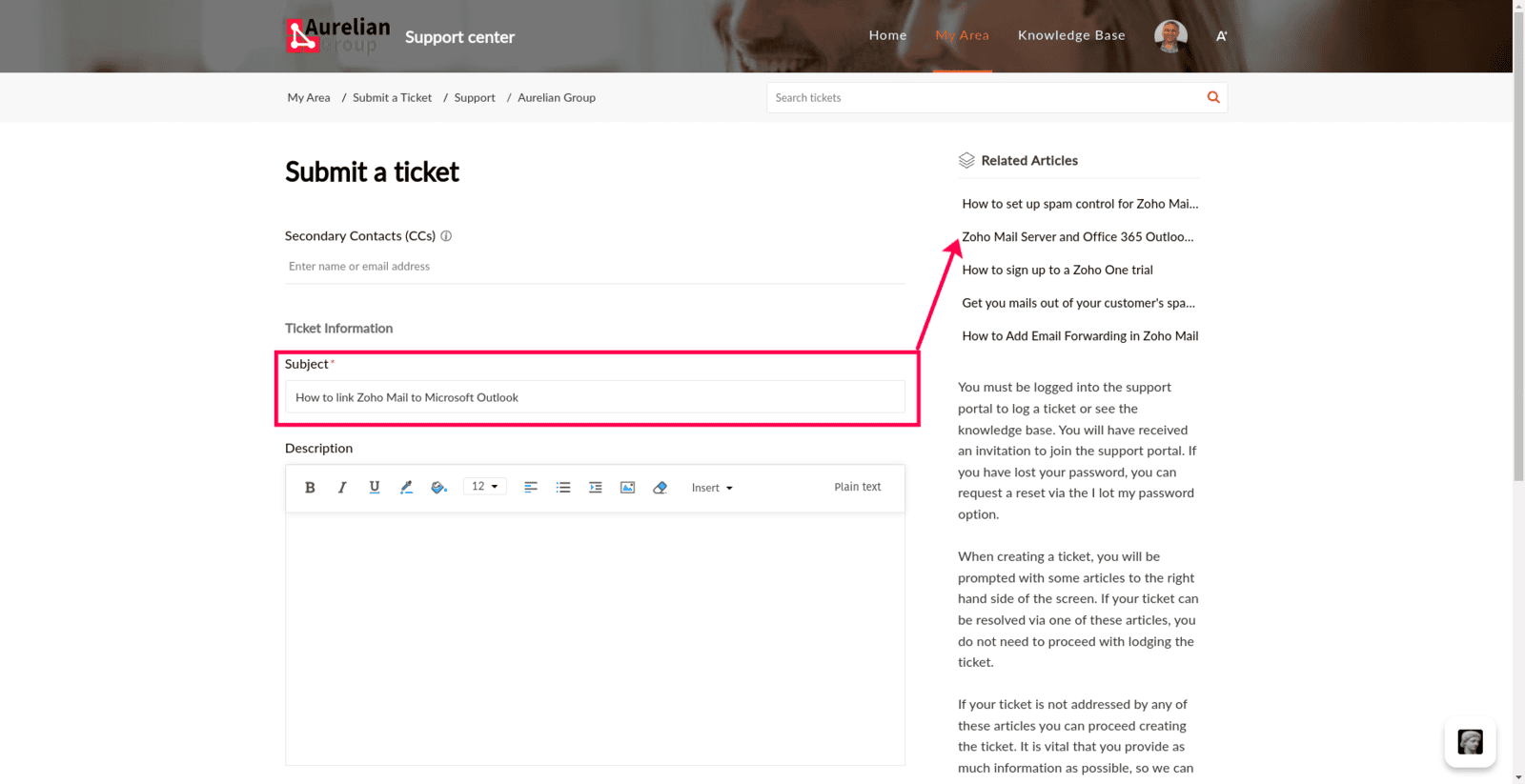
The portal is the only way to log a support ticket. You can't just email support. This is because the portal links tickets to articles: when you start typing your ticket title, it suggests relevant support articles, including the client-specific articles for your organisation. If there's a matching article, you may save a lot of time waiting for a response (which may be a link to the same article).
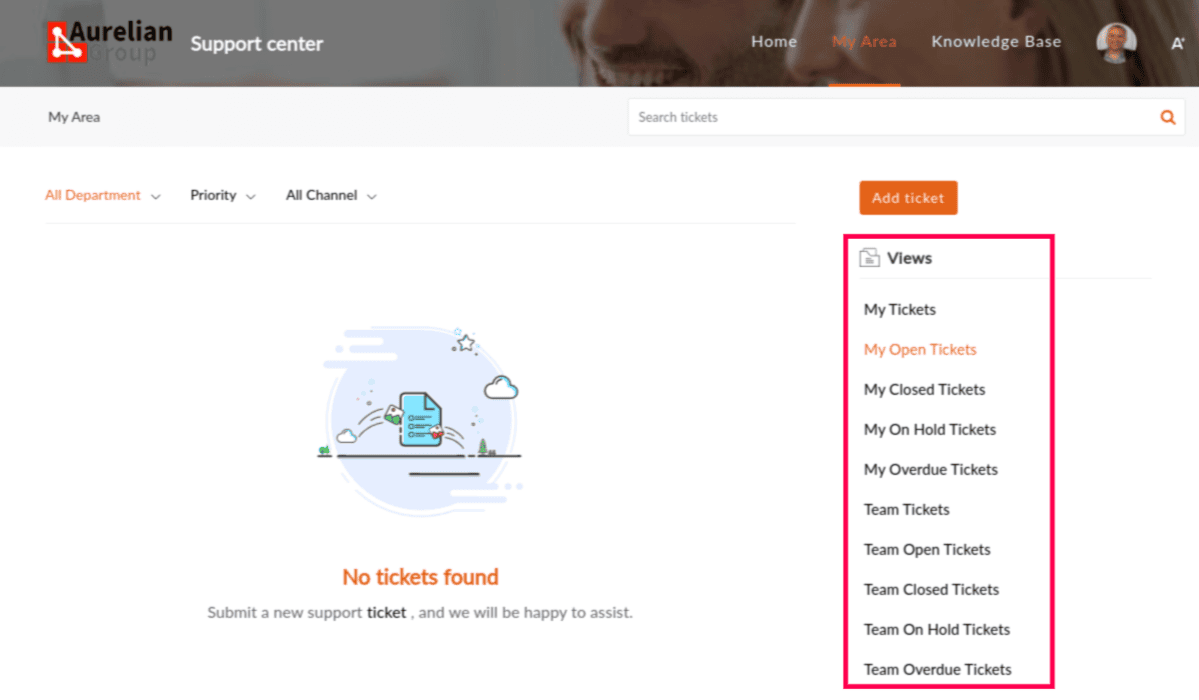
After you log a ticket, you can reply to it by email, or see your tickets in the My Area section of the portal. You can also see your co-workers' tickets there.
Sign up to the portal
Signing up is a two-step process:
- Click Sign Up and enter your email address. Our back office receives this as a request for moderation and checks that you're linked to an Aurelian Group client (based on your email domain).
- Once you're approved as a support portal user, you get an email inviting you to create your password.
Note: If you sign up with an email address that isn't on the domain of a client with an active subscription, you won't get the invitation and you won't be able to log in.
Reset your portal password
We can't see or reset your support portal password, but you can reset it yourself.
- Next to Forgot Password, click Reset.
- Enter your email address (the one registered with the support portal) and complete the security challenge.
- Follow the instructions in the email you receive to reset your password.